
AI Image Layers
Separate any AI image into PNG layers.
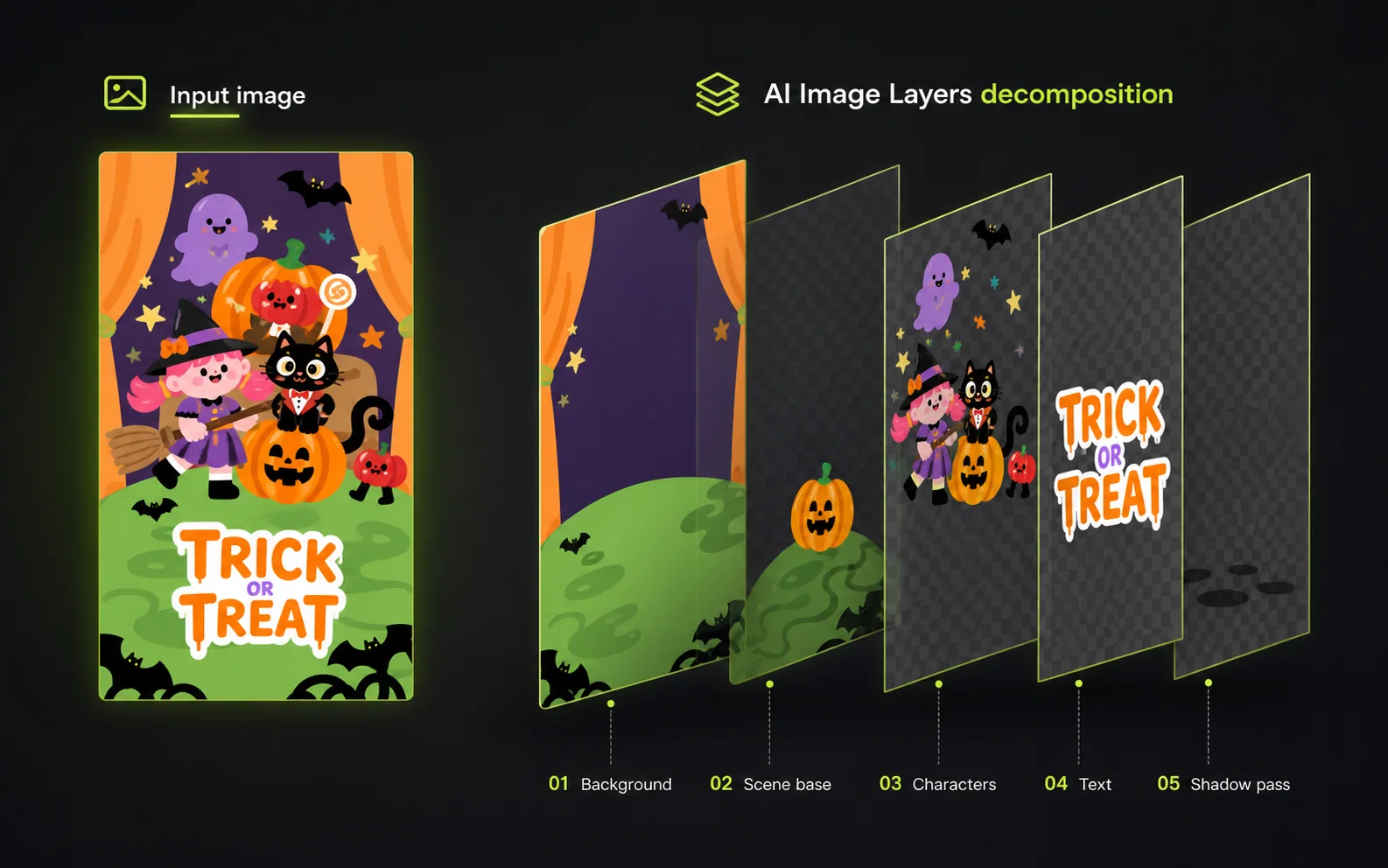
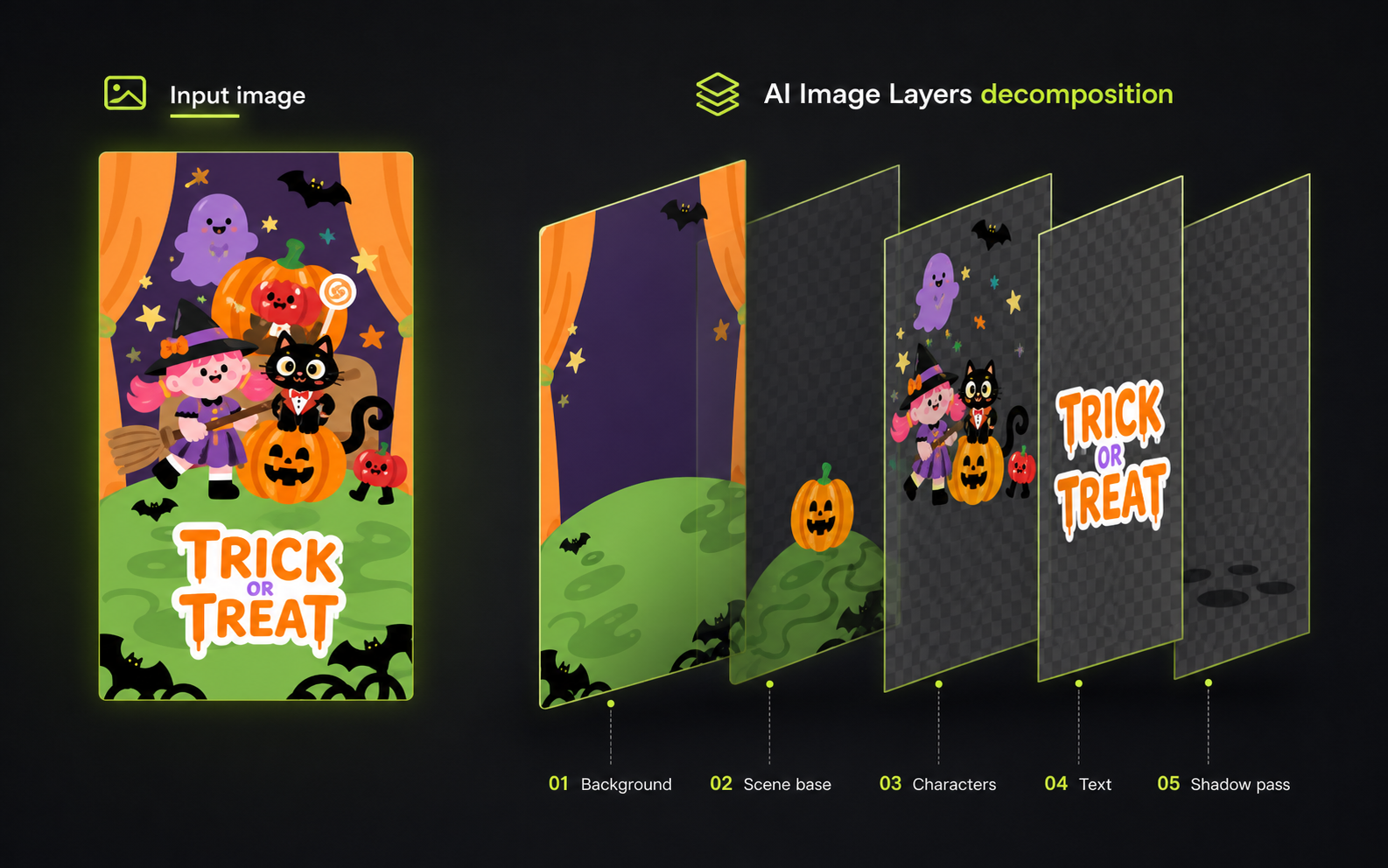
Upload a poster, product visual, or illustration. Preview the background, subject, text, and effects separately, then export a portable Layer ZIP.
Try it now
Preview every separated layer before you pay.
Upload a poster, product visual, or illustration. Preview is free; export only when the transparent PNG layers are useful.
Best for: clear subjects, simple backgrounds, visible text or badges.
Export: $4.99/month for 30 Layer ZIP downloads.
Characters
The main subjects on a transparent canvas.
How it works
Keep the image you like. Change the parts you do not.
Instead of prompting from scratch, separate the useful elements and continue in the design tool you already use.
Drop in the finished image
Use a poster, product visual, or illustration from any AI image generator.
Inspect what was separated
Preview the proposed background, subject, text, badge, shadow, and light layers.
Download the useful parts
Export named PNG files in one ZIP for editing, archiving, or client handoff.
Your export
A folder of parts, not another locked project file.
Open the ZIP anywhere, inspect every PNG, and move the useful layers into Photoshop, Figma, Canva, or your handoff folder.
Example export
ai-image-layers.zip
Open the ZIP, inspect each file, then move the useful layers into Photoshop, Figma, Canva, or your asset handoff folder.
Pricing
Download transparent PNG layers for $4.99 a month.
Preview your result free. Upgrade only when the separated files are useful enough to download.
Try a free preview30 Layer ZIP downloads · about $0.17 per export
Preview every result before using a download
Download all useful PNG layers in one ZIP
Unlock once, then re-download that result anytime
Includes layer names and a handoff manifest
Secure monthly billing via Creem.
FAQ
What to expect.
Is this another AI image generator?
No. The first version focuses on what happens after generation: turning flat AI images into named transparent PNG layers.
Will every result be perfect?
Layer separation depends on the image. Clean posters, product visuals, and graphic compositions usually work better than highly detailed photography.
Why not just use Canva Magic Layers?
Canva is useful inside Canva. AI Image Layers focuses on a portable Layer ZIP handoff for designers who want files they can inspect, archive, and continue editing elsewhere.
What do I receive?
You receive a ZIP package with separated layer files and a simple manifest. PSD export is planned after the Layer ZIP workflow is stable.